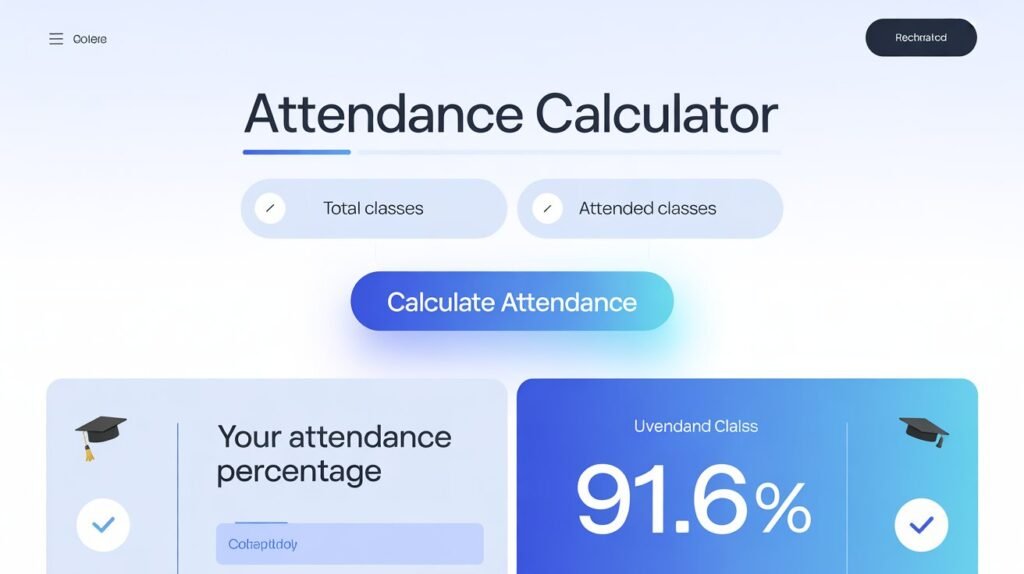
Attendance Calculator
Calculate how many classes you need to attend to reach 75%
Attendance Results
How to Calculate Your Attendance Percentage and Stay Safe from Shortage
For students worldwide, maintaining a minimum attendance percentage is a critical requirement. Falling short can lead to dire consequences, from being barred from exams to having to repeat an entire course. The problem? Manually tracking your attendance amidst a hectic schedule is confusing and prone to error.
This guide will eliminate the guesswork. We’ll explain exactly how attendance percentage is calculated and introduce you to the simplest way to stay on top of your requirements: our free Attendance Percentage Calculator.
Why Does Attendance Percentage Matter?
University policies are strict for a reason. Attendance mandates ensure:
- Academic Engagement: Regular attendance is directly linked to better academic performance.
- Curriculum Compliance: Ensures students meet the required hours of instruction.
- Exam Eligibility: This is the most common rule—without a minimum percentage (often 75% or 80%), you cannot sit for your final exams.
How to Calculate Attendance Percentage Manually
The formula for calculating your attendance percentage is straightforward:
Attendance Percentage = (Number of Classes Attended / Total Number of Classes Held) * 100
Let’s break it down with an example:
Imagine your course, “Advanced Physics,” has held 40 classes so far this semester. You have attended 32 of them.
- Divide Attended by Held: 32 / 40 = 0.8
- Multiply by 100 to get Percentage: 0.8 * 100 = 80%
If your university requires 75%, you are safely above the cutoff. But what if you want to know how many more classes you can afford to miss?
Calculating “Safe” Leaves and Shortage
This is where students often get anxious. Let’s extend the example. Your goal is to stay above a 75% requirement.
How to calculate the maximum number of classes you can miss:
- We know:
(Classes Attended / Total Classes Held) > 0.75 - You can rearrange this to find the maximum
Total Classes Heldbefore your attendance dips below 75%. - A simpler way is to use this formula:
Maximum Classes You Can Miss = Number of Classes Attended – (0.75 * Total Classes Held)
This gets complex quickly. The easiest solution is to use a dedicated tool.
The Easiest Way: Use Our Free Attendance Calculator
Manually tracking every class for every subject is a chore. Our online Attendance Calculator does the hard work for you, providing instant insights and projections.
Why Use Our Attendance Calculator?
- Instant Percentage Calculation: Input your numbers and get your current percentage in seconds.
- Project Future Scenarios: See what your percentage will be if you miss or attend the next ‘X’ number of classes.
- Know Your “Safe” Leaves: Find out exactly how many classes you can miss without falling below your required threshold.
- Track Multiple Subjects: Manage attendance for all your courses in one place.
- 100% Free & Private: No sign-up, no fees, and your data never leaves your browser.
Stop stressing and start planning. Knowing your numbers is the first step to ensuring you never face an attendance shortage.
[Click Here to Use the Free Attendance Calculator Now]
Pro Tips for Managing Your Attendance
- Know Your University’s Policy: Is the requirement 75%, 80%, or higher? Does it include leaves for medical reasons? Always check the official academic handbook.
- Be Conservative: Always aim to be a few percentage points above the minimum requirement. This gives you a buffer for unexpected emergencies.
- Track from Day One: Don’t wait until mid-semester to start tracking. The earlier you start, the easier it is to manage your leaves.
- Communicate: If you have a genuine reason for missing multiple classes (e.g., medical issues), communicate with your professor and academic advisor immediately.
FAQs: Attendance Percentage Calculator
Q1: What is an Attendance Percentage Calculator, and how does it work?
A: An Attendance Percentage Calculator is a specialized online tool that helps students automatically calculate their class attendance rate. You simply input two key numbers: the number of classes you have attended and the total number of classes held so far. The calculator instantly applies the formula (Attended Classes / Total Classes) * 100 to give you your current attendance percentage. Advanced calculators can also project future scenarios based on upcoming classes.
Q2: Why is it important to calculate my attendance percentage?
A: Most universities and colleges have a strict minimum attendance requirement (e.g., 75% or 80%) to be eligible to appear for final exams. Falling below this percentage can lead to being debarred from the exam. Regularly calculating your attendance helps you stay aware of your standing, allows you to plan your leaves wisely, and prevents last-minute surprises that could jeopardize your academic progress.
Q3: What is the standard formula for calculating attendance percentage?
A: The universal formula for calculating attendance percentage is:
Attendance Percentage = (Number of Classes Attended / Total Number of Classes Held) * 100
For example, if you attended 45 out of 60 classes, your percentage is (45 / 60) * 100 = 75%.
Q4: How can I calculate how many more classes I need to attend to reach my target percentage?
A: This requires a more complex calculation. Our calculator’s “Projection” or “Goal” feature handles this for you. Essentially, it solves for the number of classes you need to attend (X) in the remaining classes (Y) to meet your goal. The formula is:(Current Attended + X) / (Current Total + Y) >= Target Percentage
You tell the calculator your target (e.g., 80%), and it will calculate exactly how many of the future classes you must attend.
Q5: How do I calculate the maximum number of classes I can miss?
A: Our calculator automatically tells you this. After you enter your current attendance and your university’s requirement, it calculates your “safe leaves” or “buffer.” It shows you how many more classes you can miss before your percentage drops below the mandatory threshold. This is the most sought-after feature for students.
Q6: My university has a unique attendance policy (e.g., 80% requirement, medical leaves considered). Can the calculator handle this?
A: Absolutely. Our calculator is designed to be flexible.
- Minimum Requirement: You can manually set your university’s specific required percentage (e.g., 65%, 70%, 75%, 80%, 85%).
- Medical Leaves: If your institution allows medical leaves to be considered “attended” or not counted as “held,” you can adjust the numbers accordingly. For instance, if 5 classes were canceled due to medical reasons, you would deduct them from the “Total Classes Held” count.
Q7: The total number of classes held includes canceled classes. Should I count them?
A: No. The “Total Classes Held” should only include classes that were officially conducted. If a professor canceled a class or it was an official holiday, that class should not be included in your “Total Held” count. The accuracy of your calculation depends on this.
Q8: I have multiple subjects with different class schedules. Can I track them all?
A: Yes. For the best experience, we recommend calculating the attendance for each subject separately. This is because the number of classes held for each subject will be different. Our calculator provides a clear result, and you can simply refresh the page or use your browser’s “back” button to calculate for a new subject without losing your previous data.
Q9: Is the data I enter into the calculator saved or stored on your servers?
A: No. Your privacy is paramount. Our Attendance Calculator is a client-side tool. This means all calculations happen directly within your web browser on your device. We do not transmit, store, or have access to any of the data you input. It is not saved on our servers, ensuring your academic information remains completely confidential.
Q10: Do I need to sign up or pay to use this calculator?
A: No. Our Attendance Percentage Calculator is completely free to use. There is no requirement to create an account, sign up for a newsletter, or pay any fees. We believe in providing unrestricted access to tools that support student success.
Q11: The calculator is not loading or working on my device. What should I do?
A: Please try the following troubleshooting steps:
- Refresh your browser (Press F5 or Ctrl+R / Cmd+R).
- Check your internet connection.
- Update your web browser to the latest version (Chrome, Firefox, Safari, Edge are all supported).
- Disable any browser extensions like ad-blockers or script blockers temporarily, as they can sometimes interfere with web tools.
If the problem persists, please contact our support team.
Q12: Can I use this calculator on my mobile phone?
A: Yes! Our calculator is fully responsive and mobile-friendly. It is optimized to work seamlessly on smartphones and tablets, so you can check your attendance on the go, right from your classroom or library.
Q13: The result from the calculator is different from my university’s portal. Which one is correct?
A: While our calculator is programmed to be mathematically accurate, you should always consider your university’s official student portal as the definitive source. There might be specific institutional rules (like how they round decimals or handle certain absences) that we cannot account for universally. Use our tool as a highly reliable guide for your personal planning, but always defer to your official university records for final decisions.
Q14: I made a mistake inputting numbers. Can I reset the calculator?
A: Yes. The calculator has a clear “Reset” or “Clear” button that will erase all entered data, allowing you to start over fresh. You can also simply refresh the web page.
Q15: I have a suggestion for a new feature. How can I share it?
A: We are always looking to improve our tools to serve students better. We welcome all feedback and feature suggestions (e.g., saving data in a browser, adding a subject list, etc.). Please reach out to us through our “Contact Us” or “Feedback” page.
Take Control of Your Attendance
Never worry about falling short again. Our free Attendance Calculator is the smart, simple way to track your class attendance, calculate your percentage, and plan your semester wisely. Ensure you’re always eligible for your exams.
[Calculate Your Attendance Now – It’s Free!]
How It Works: Simple & Powerful
- Enter Your Details: Input the number of classes you’ve attended and the total number of classes held.
- Set Your Requirement: Tell us your university’s minimum required percentage (e.g., 75%).
- Get Instant Insights: See your current percentage and immediately know how many classes you can safely miss.
For advanced planning, use our projection feature:
- See your future percentage if you miss the next few classes.
- Calculate how many classes you need to attend to reach a target percentage.
Why Use Our Attendance Calculator?
✅ Avoid Exam Debarrment: Get clear, accurate data to ensure you never fall below the critical requirement.
✅ Plan Your Leaves: Make informed decisions about taking a day off without risking your academic standing.
✅ Track Multiple Subjects: Manage attendance for all your courses in one place.
✅ 100% Free & Private: No registration required. Your data is never saved or shared.
✅ Works on Mobile: Use it on your phone, tablet, or computer—perfect for checking on the go.
Designed For Every Student:
- University Students: Whether you’re in engineering, arts, or commerce.
- College Students: For all years and all semesters.
- High School Students: Where attendance rules are strictly enforced.
Don’t let poor tracking jeopardize your academics. Use the most reliable tool to stay safe and focused.
[Check Your Attendance Status Now]
Call to Action Section (For both pages):
Stay Ahead of Your Requirements
Why risk your exam eligibility over simple arithmetic? Our accurate and private calculator gives you the power to manage your attendance with confidence.